
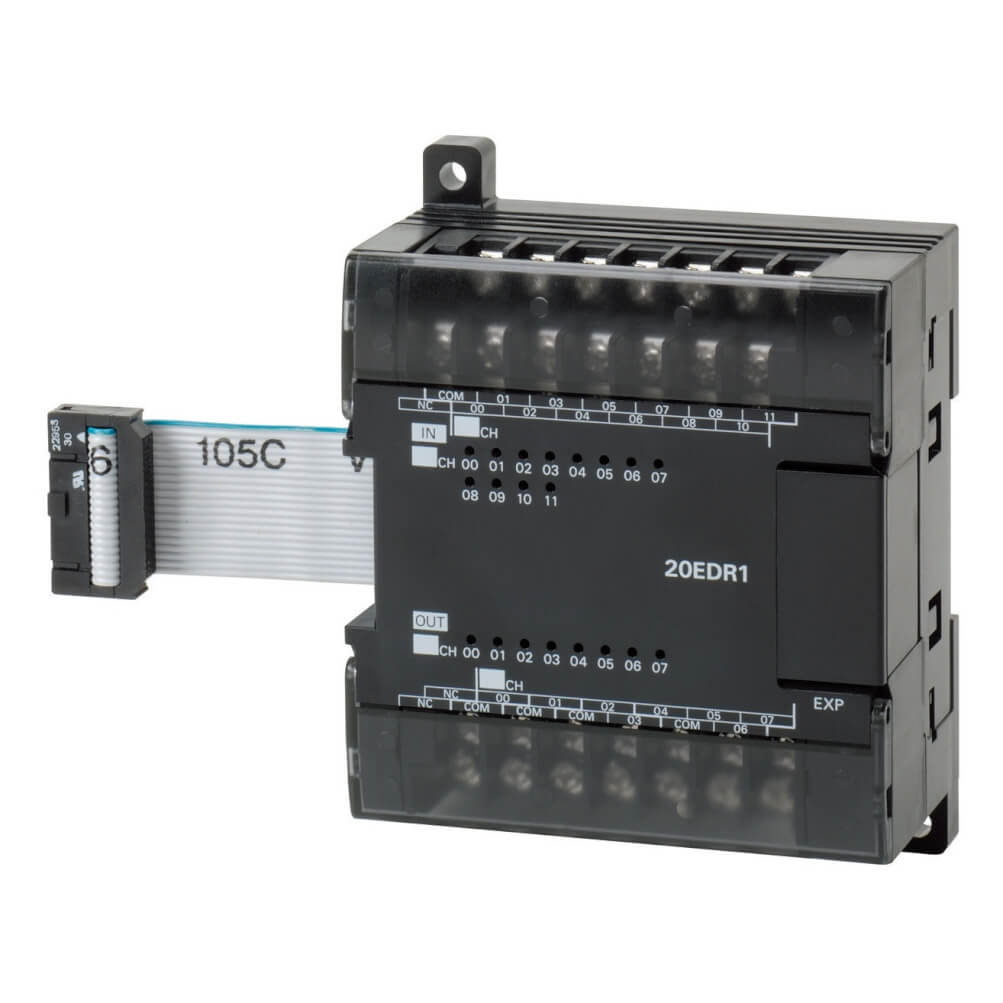
Omron CP1W-20EDR1 Expansion I/O Unit – Technical Specifications and Applications
Automation engineers consistently choose Omron products for their proven reliability and innovative features. The CP1W-20EDR1 model continues this tradition, offering a mid-capacity expansion solution that meets stringent industrial standards. With its 20 points configuration, this module adapts to diverse automation requirements across multiple industries.
Technical Specifications of Omron CP1W-20EDR1
The Omron CP1W-20EDR1 Expansion I/O Unit is engineered to meet rigorous industrial standards and delivers consistent performance in demanding environments. Understanding the technical parameters of this module is crucial for successful system integration.
Core Features
This mid-capacity expansion module is designed for seamless compatibility with the CP series PLC family. The 20 points configuration allows flexible system architecture tailored to specific application requirements. The module features standard DIN rail mounting, facilitating quick installation in industrial control panels.
When examining input characteristics, the DC Input capability ensures reliable signal processing from various sensors and field devices. On the output side, the Relay structure provides robust control of actuators, indicators, and other connected equipment. This combination makes the Omron CP1W-20EDR1 suitable for diverse automation scenarios.
Electrical Characteristics
Power efficiency is a key consideration in any automation system. The Omron CP1W-20EDR1 module operates on 24V DC power supply with optimized current consumption, minimizing impact on overall system power budget. Electrical isolation features provide excellent noise immunity, essential for maintaining signal integrity in industrial environments with high electromagnetic interference.
The module incorporates advanced protection circuits safeguarding against common electrical faults. Overvoltage protection, reverse polarity protection, and thermal management ensure long-term reliability. These built-in safeguards reduce the risk of system downtime and extend operational lifespan.
Applications of Omron CP1W-20EDR1 Module
The Omron CP1W-20EDR1 Expansion I/O Unit finds applications across numerous industrial sectors. Its versatility and proven reliability make it an excellent choice for various automation challenges.
Manufacturing Industry Applications
In automotive manufacturing, plastic injection molding, packaging lines, and food processing facilities, the Omron CP1W-20EDR1 module is widely deployed. The 20 points capacity handles the input-output requirements of production line automation effectively. The DC Input capability facilitates integration with diverse sensor types, while the Relay design enables control of various actuators and process equipment.
Machine building applications benefit significantly from this module’s robust construction and flexible configuration options. Whether controlling CNC machine tools, assembly stations, or material handling systems, the CP1W-20EDR1 provides reliable performance. Its compatibility with the CP series ensures straightforward system expansion as production requirements evolve.
Process Control and Building Automation
Beyond discrete manufacturing, the Omron CP1W-20EDR1 Expansion I/O Unit serves well in process industries and building automation systems. Chemical processing, water treatment, and energy management applications leverage this module’s capabilities for precise control and monitoring. In building automation, HVAC systems, lighting control, and security systems benefit from the module’s flexibility and reliability.
For more information about Omron automation solutions, visit Omron sensor
Installation Guide for Omron CP1W-20EDR1
Proper installation of the Omron CP1W-20EDR1 Expansion I/O Unit is critical for achieving optimal system performance. This section provides step-by-step installation procedures and best practices.
Physical Mounting Procedures
Begin by ensuring the DIN rail is clean, straight, and properly secured. The Omron CP1W-20EDR1 module mounts on standard 35mm DIN rail using the integrated mounting mechanism. Position the module’s upper edge against the rail first, then press the lower portion until you hear the locking clip engage. Verify secure mounting by gently attempting to move the module.
Position the module adjacent to the CP series CPU or in sequence with other expansion modules. Maintain adequate spacing between modules – minimum 10mm clearance is recommended for proper air circulation. The 20 points module requires no special mounting brackets or adapters, simplifying installation and reducing hardware costs.
Electrical Connections
Always ensure complete system shutdown before making electrical connections. Use appropriate wire gauge for DC Input signals – typically 0.5mm² to 1.5mm² is suitable for signal wiring. For Relay connections, select wire size based on load current requirements. Follow color coding standards consistently to simplify troubleshooting and maintenance.
Terminal tightening torque is critical – overtightening can damage terminals while insufficient torque leads to loose connections and potential failures. Consult the technical manual for specified torque values. Regular inspection of terminal tightness should be part of routine maintenance procedures.
Maintenance and Troubleshooting
Regular maintenance ensures long-term reliability of the Omron CP1W-20EDR1 Expansion I/O Unit. This section covers preventive maintenance procedures and common troubleshooting techniques.
Preventive Maintenance Schedule
Monthly inspections should include visual examination of the Omron CP1W-20EDR1 module for signs of overheating, discoloration, or physical damage. Check all terminal connections for tightness, as vibration and thermal cycling can gradually loosen connections. The 20 points system requires particular attention in high-utilization applications where wear occurs more rapidly.
Clean the module surface using a dry cloth – avoid liquid cleaners that might damage electronic components. Ensure ventilation openings remain unobstructed, as blocked airflow causes overheating and reduces component lifespan. Document all maintenance activities for warranty compliance and troubleshooting reference.
Common Issues and Solutions
If the Omron CP1W-20EDR1 mid-capacity expansion module malfunctions, first verify power supply voltage and connections. LED indicators provide diagnostic information – refer to the technical manual for LED code interpretation. No LED activity typically indicates power supply failure or defective module.
For input signal issues with DC Input type connections, verify sensor operation and wiring continuity. Check for correct voltage levels and proper grounding. Output problems with Relay connections often relate to excessive load current, short circuits, or incorrect wiring. Use a multimeter to verify output operation and load current draw.
Frequently Asked Questions
Which PLC models are compatible with Omron CP1W-20EDR1?
The CP1W-20EDR1 Expansion I/O Unit is fully compatible with Omron CP series PLCs, including CP1E, CP1L, CP1H, and CP2E series CPU units. It can be mounted adjacent to the CPU or in sequence with other expansion modules, providing seamless system integration.
What software is required for CP1W-20EDR1 configuration?
Configuration of the Omron CP1W-20EDR1 module is performed using CX-Programmer software. The module is automatically recognized by the software, and I/O addressing is straightforward. No special drivers or additional software packages are required.
What is the warranty period for this module?
Omron CP1W-20EDR1 Expansion I/O Unit includes a standard one-year manufacturer’s warranty covering defects in materials and workmanship. The warranty does not cover damage from misuse, excessive loading, or environmental conditions exceeding specifications.
Can I hot-swap the CP1W-20EDR1 module?
No, the Omron CP1W-20EDR1 does not support hot-swapping. Always shut down the entire PLC system and disconnect power before removing or installing expansion modules. Failure to do so may damage both the module and the CPU unit.
What are the environmental operating limits?
The Omron CP1W-20EDR1 Expansion I/O Unit operates within 0 to 55 degrees Celsius ambient temperature range. Humidity should be maintained between 35% and 85% RH, non-condensing. Exceeding these limits may cause malfunction or permanent damage.
How do I extend the system if 20 points capacity is insufficient?
CP series PLCs typically support up to three expansion modules. If the CP1W-20EDR1 capacity proves insufficient, additional modules can be added. For larger systems, consider upgrading to a higher I/O count CPU unit or implementing distributed I/O architecture.
Conclusion
The Omron CP1W-20EDR1 Expansion I/O Unit provides a reliable, professional automation solution suitable for diverse industrial applications. With 20 points capacity and DC Input/Relay capabilities, this module delivers the flexibility needed in modern automation systems. Proper installation, routine maintenance, and adherence to specifications ensure years of trouble-free operation. Omron’s extensive support network and comprehensive documentation make the CP1W-20EDR1 mid-capacity expansion module a sound investment for automation projects of any scale.