
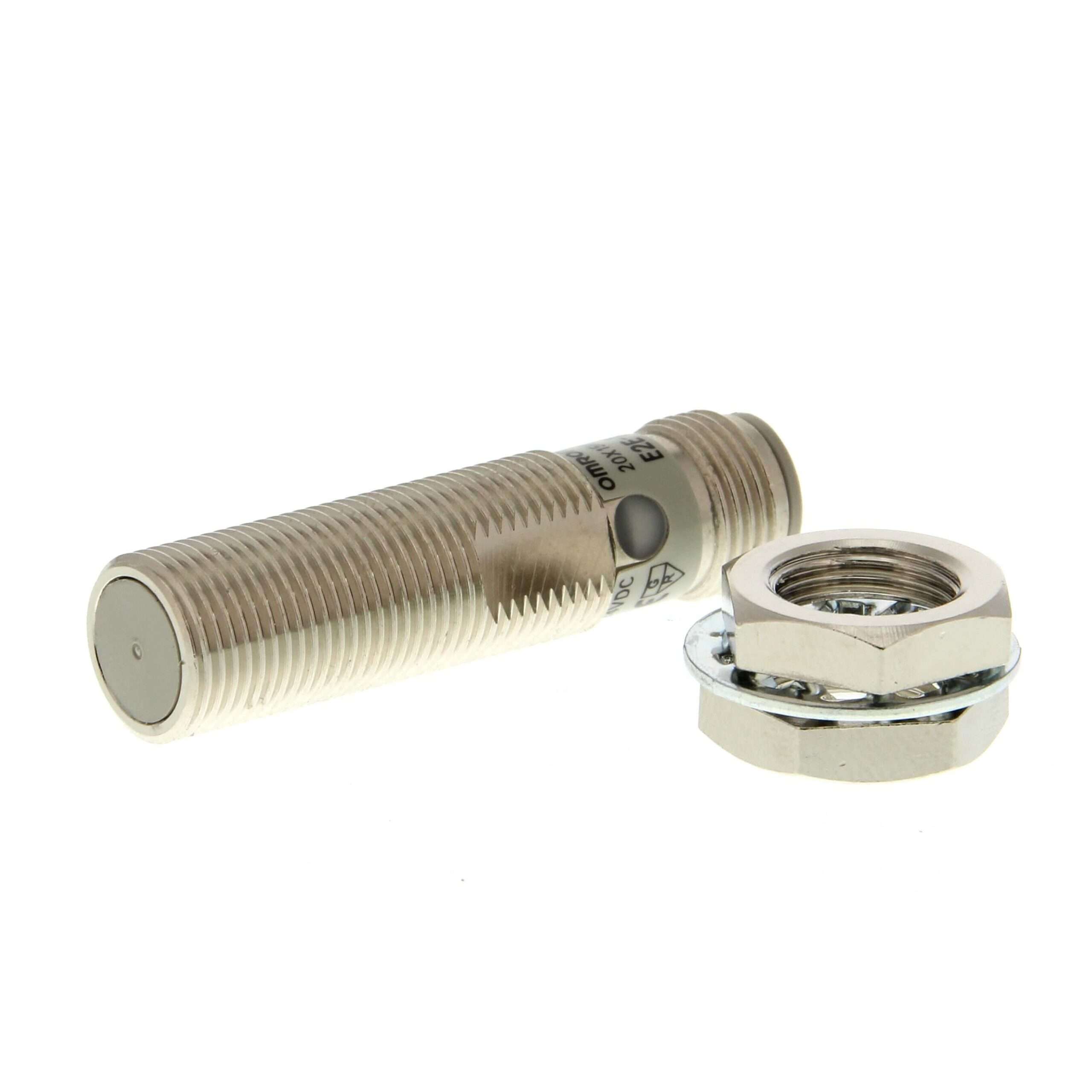
Omron E2E-X3D1-M1 Inductive Proximity Sensor: Technical Guide and Application Manual
Selecting a sensor requires more than just checking the sensing distance. The Omron E2E-X3D1-M1 is a Inductive Proximity Sensor thatoperates at 12-24V DC and stands out in metal part detection applications with field-tested reliability.
In a well-designed automation system, all components of the sensing layer must work in harmony. Omron’s Omron Sensor family is engineered to feed signals to relays and controllers from the same manufacturer.
What Is the Omron E2E-X3D1-M1 Inductive Proximity Sensor?
The Omron E2E-X3D1-M1 is a Inductive Proximity Sensor rated at 12-24V DC designed to reliably handle metal part detection applications. Key engineering features include m12 body, 3 mm sensing distance, wide switching frequency, ip67.
What separates this sensor from generic alternatives is in the details: m12 body, 3 mm sensing distance, wide switching frequency, ip67. Operating at 12-24V DC, it integrates straightforwardly into standard industrial automation systems.
Technical Specifications
The table below summarises the main technical parameters of the Omron E2E-X3D1-M1. For complete specifications, refer to the official Omron product datasheet.
| Parameter | Value |
|---|---|
| Product Type | Inductive Proximity Sensor |
| Operating Voltage | 12-24V DC |
| Output Type | NPN output |
| Output Current | 200 mA |
| Key Features | M12 body, 3 mm sensing distance, wide switching frequency, IP67 |
| Mounting | Screw mount |
| Lifetime | Semiconductor |
| Operating Temperature | -25°C to +70°C |
| Compatible Accessory | Mounting bracket |
Where Is It Used?
The Omron E2E-X3D1-M1 Inductive Proximity Sensor is commonly specified for the following applications:
- Metal part detection
- Position control
- Cnc machine tool limit switch
Across these use cases, the consistent requirement is reliable detection — often in environments where an unplanned fault would create significant disruption. The Omron E2E-X3D1-M1 is designed with exactly those conditions in mind.
Installation Notes
When mounting the Omron E2E-X3D1-M1 Inductive Proximity Sensor in a system, pay attention to three things: the mounting location must be vibration-free; cable tension must not be excessive; target distance must stay within the nominal range.
For ongoing maintenance, keep the sensor lens clean, check cable connections, and periodically test that the LED indicator functions correctly. Early intervention avoids the much larger cost of an unplanned production stop.
Why Choose the Omron {c}?
The case for choosing the Omron E2E-X3D1-M1 Inductive Proximity Sensor is not built on marketing alone. It rests on measurable factors: tested sensing distance, IP67 protection rating certification, and a global support network.
Frequently Asked Questions
How do I install the Omron E2E-X3D1-M1?
Mount the Omron E2E-X3D1-M1 Inductive Proximity Sensor using a mounting bracket to a stable surface, make cable connections, and adjust the target distance.
What is the service life of the Omron E2E-X3D1-M1?
As the Omron E2E-X3D1-M1 Inductive Proximity Sensor uses semiconductor technology with no moving mechanical parts, it has a very long service life.
Is the Omron E2E-X3D1-M1 sensitive to inductive loads?
The Omron E2E-X3D1-M1 Inductive Proximity Sensor includes short-circuit and overcurrent protection in its output circuit.
Is the Omron E2E-X3D1-M1 RoHS compliant?
Omron products conform to RoHS Directive requirements. Specific compliance documentation can be requested from authorised distributors.
What periodic maintenance does the Omron E2E-X3D1-M1 require?
Keep the sensor lens clean, check cable connections, and ensure the mounting screw is tight.